In the Hospitality Loyalty App it is possible to view locations on a map of the available restaurants.
Example:
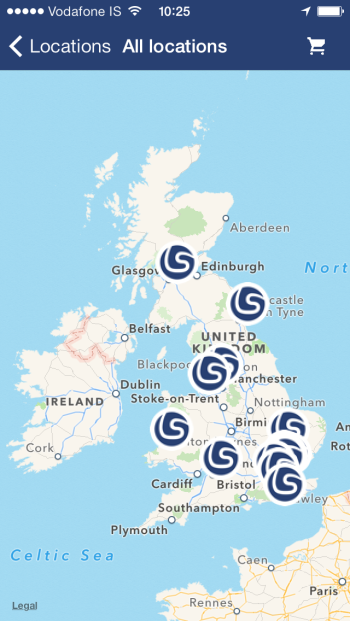
In order for this to be possible the restaurants in the company need to have location values.
To insert this into the system:
- Go to the Restaurant Card.
- Check if the FastTab General shows option Show more fields. If so, select it.
- Insert the restaurant‘s values for the Latitude and Longitude fields. These are the location codes for the app to locate the Restaurant for the map option.
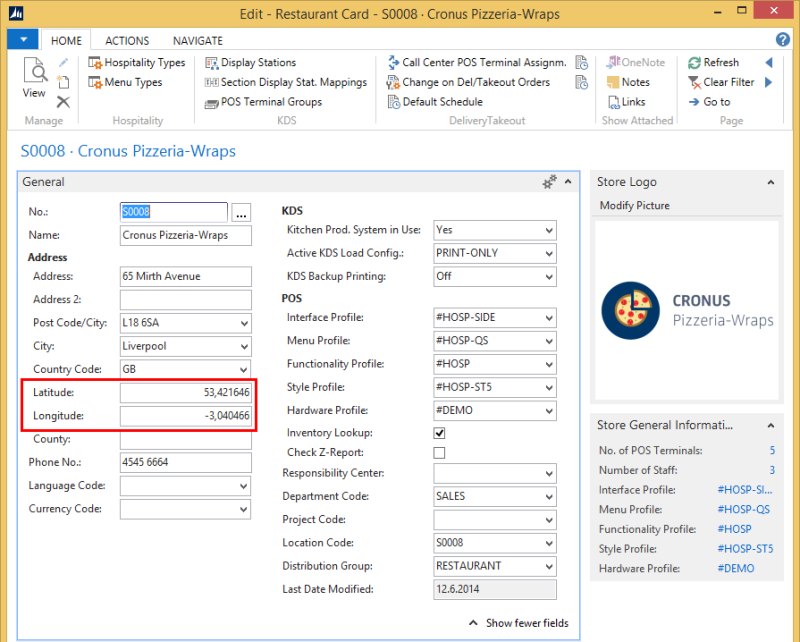
Tip: If you do not see the field Latitude and Longitude in the Restaurant Card then most likely you have forgotten to select  option.