Retail Images can be set up for Menus, Items, Variants, Product Groups, Item Categories, Published Offers, Stores, Media Controls, Search Index, Member Notifications and Dining Table properties.
Go to Retail Images to add new or edit existing images.
The Retail Image Card

Fields on the General FastTab
- Code: The code for the image is used to link (item/store/offer etc.) to the image. To link an image to an item, open the Retail Item Card, select the Navigate tab in the Action Menu and then click Images. This opens the Retail Image Link List where you insert the Code of the image in the Picture Id field.
- Type: Options are:
- Blob: Image is stored in the database
- File: Image is stored on a hard drive
- Url: Image is stored online
- Description: Description for the image.
- Image Blob: If the image Type is Blob, you can right click this field to browse images to use.
- Image Location: The Image Location field is used to define a path to the image if the image Type is File or URL.
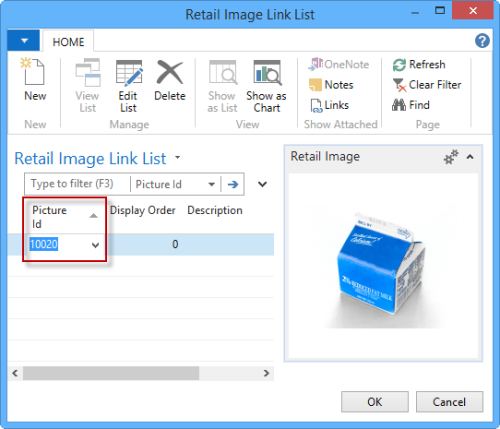
Image Type File:

Image Type Url:

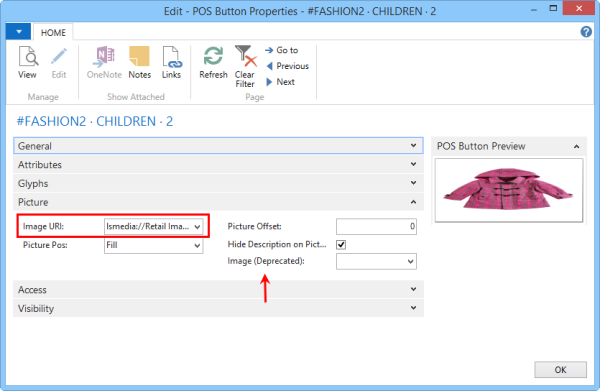
Assigning an image to a menu button
Retail Images are used for menu buttons. They are located in LS Retail - Administration - General.
Retail Images can be linked to different data in the system.
To link a Retail Image for a button, open Menu line (button properties) and insert the value for use in the field Image URL.