At the end of the day it is possible to send the tenders uncounted to the safe. Tenders are put in Uncounted Bags and can be counted later. When a bag is broken the tender is uncounted in the safe.
To count uncounted bags
- Go to LS Retail - BackOffice - Store Management - Lists - End-of Day - Safe Management - Uncounted Bags.
-
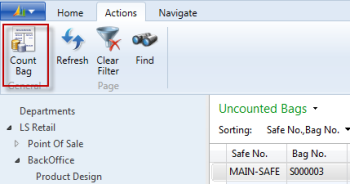
On the Actions menu, click the Count Bag action.
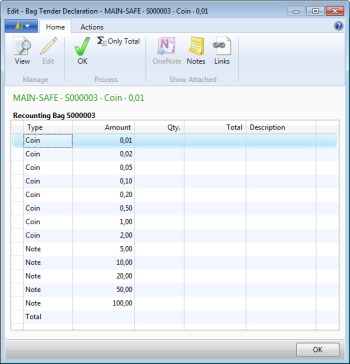
After counting, the bag disappears from the Uncounted Bag list.