Validation periods are used to define specific date ranges, day of week and time ranges for retail actions to apply. This includes deals, promotions, price changes/discounts, and so on. These are typically used to define start and end dates for special pricing (sales, promotions, and so on) as well as special pricing such as discounts on Tuesdays and happy hour pricing.
- Click the
 icon, enter Validation Period Setup List, and select the relevant link.
 - Enter ID for the Validation Period. Note: This must be in integer.
- Enter your desired Description.
- Select Starting Date. Note: If left blank, it will take effect immediately.
- Select Ending Date. Note: If left blank, the validation period does not expire/end.
- For something like happy hour, you can define Starting Time and Ending Time.
- In case the Ending Time is after midnight, set the parameter Ending Time After Midnight. This typically occurs in hospitality where store closing hour are past midnight.
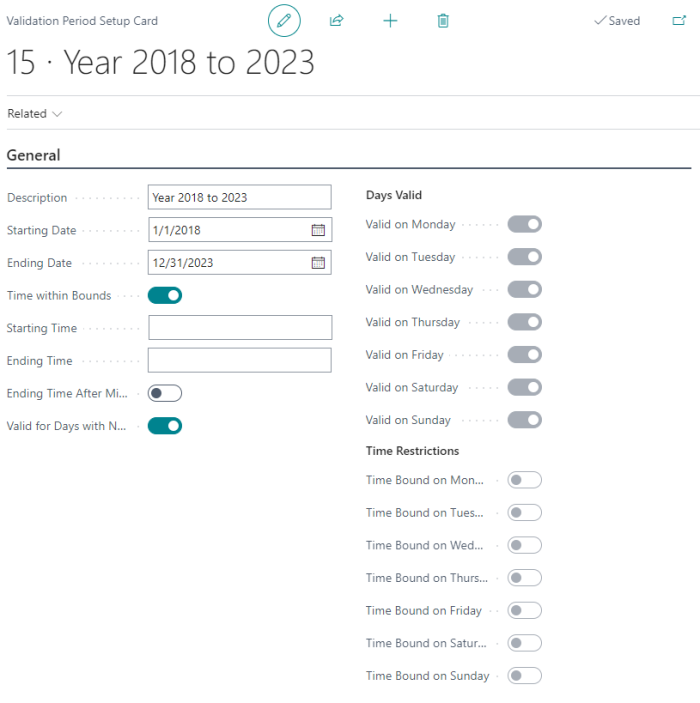
- To exclude the day from the period (for example offers not valid on Mondays), click the check box Time within Bounds to remove the check mark. An example of this for use is seniors discounts. A deal might be configured to have all items receive 10% discount for seniors only on Tuesdays, so all days but Tuesday would be excluded.
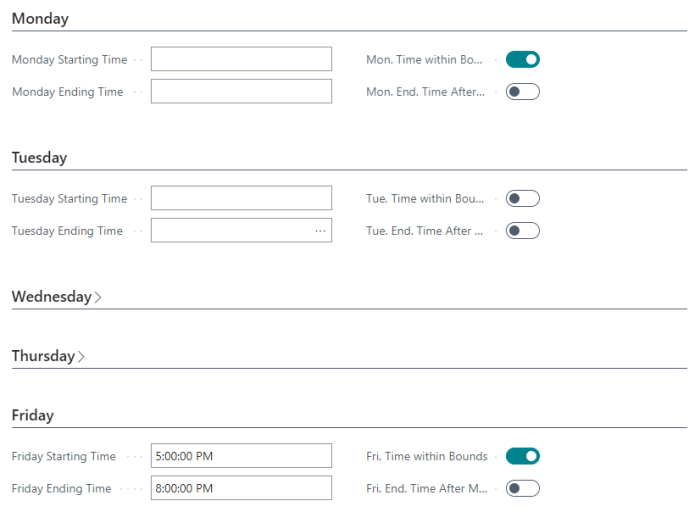
- If the period is to have different time constraints per day you can define Starting Time and Ending Time for each day. This is helpful for offers such as happy hour that occurs Mon-Thurs but might have different hours on Friday.