If you use the features in the Purchases & Payables application area, you must create links to the general ledger accounts. The links are created by setting up one or more vendor posting groups. You can use the same general ledger account numbers or different account numbers for each posting group.
-
Click the
 icon, enter Vendor Posting Groups and select the relevant link.
 -
Updates to the data for this table (not using default data) is only necessary if not using the LS Central Implementation Guide G/L Account configuration provided.
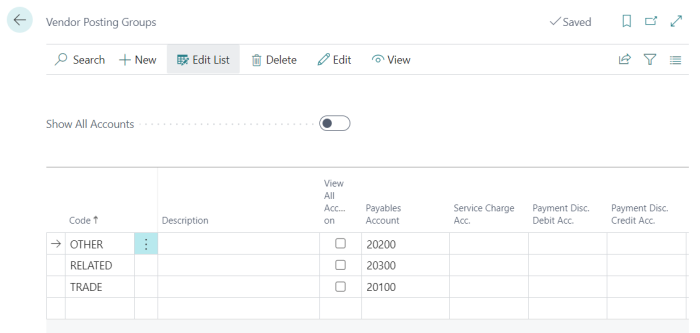
LS Central Implementation Guide is preconfigured to include the following vendor posting groups:
- OTHER
- RELATED
- TRADE