To add the state code to your store in LS Central IN, follow these steps:
-
Click the
 icon, enter Store List and select the relevant link.
 -
Open the store you want to add the state code to.
-
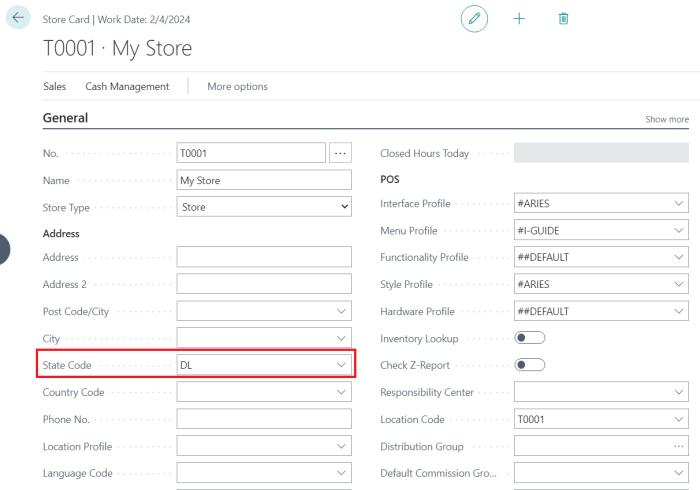
In the General FastTab, enter the State Code. This code defines the state of the store and will be copied onto all sales transactions of that store.
-
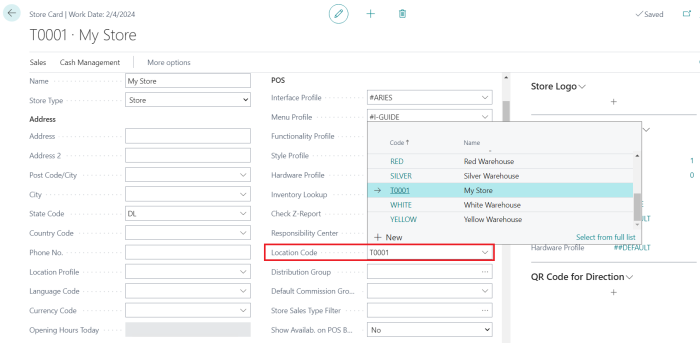
Add the Location Code for the store. Each store should have its unique location code.
-
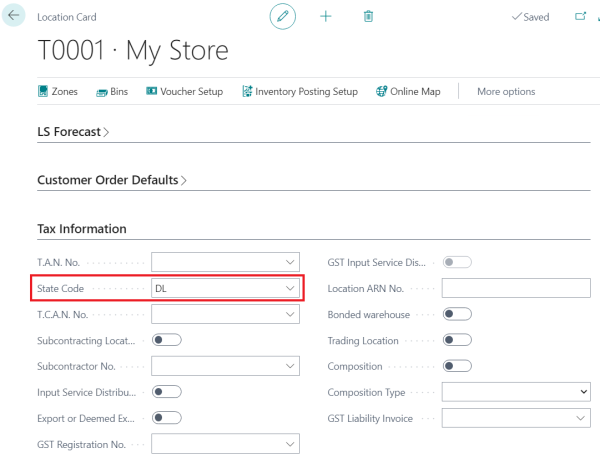
To add the state code to the location of your store, open the Location card. Enter the State Code of the location to which your store belongs.
-
In the LSCIN Tax Information FastTab, enter the details in the following fields.
