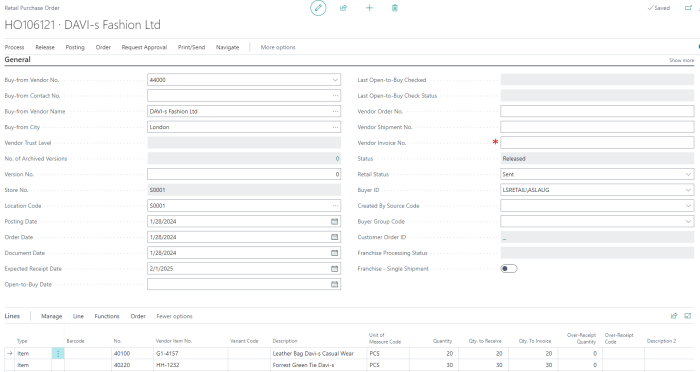
You can create a Retail Purchase Order directly or use the Store Inventory Worksheets process to do it. This is how you create a Retail Purchase Order using Store Inventory Worksheets:
-
Click the
 icon, enter Store Inventory Worksheets and select the relevant link.
 - Select a worksheet of the Type Purchase, and click the Edit Journal action to open the worksheet journal:
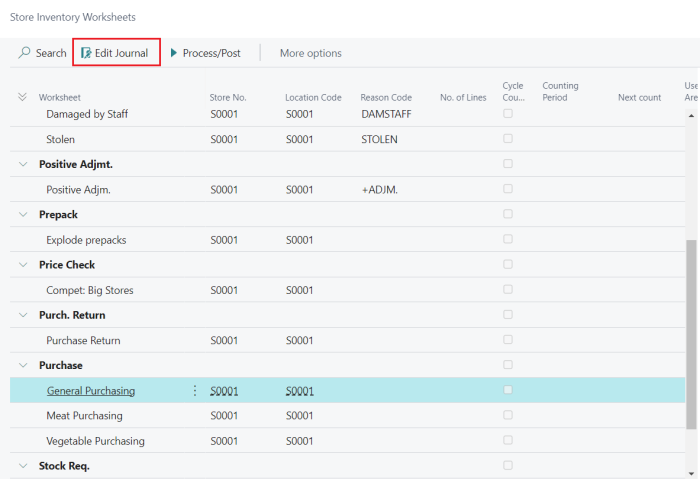
For more information, see How to: Create a Purchase Order or Purchase Return Order in Store Inventory.
This is how you create a Retail Purchase Order directly:
- Click the icon, enter Retail Purchase Orders and select the relevant link.
- Click the +New action to create a new Retail Purchase Order.
- Fill in the required details, such as Vendor No., Vendor Invoice No., and add item lines.