To configure the functions and discount percentages that can be applied by POS staff assigned to specific permissions in LS Central, follow these steps:
- Click the
 icon, enter Staff Permission Group List, and select the relevant link.
 - Locate the permission group you want to configure (for example Cashier or Manager) and select it to open the details. The only different between these two permissions are the Manager privileges and Max Discount to Give % at POS.
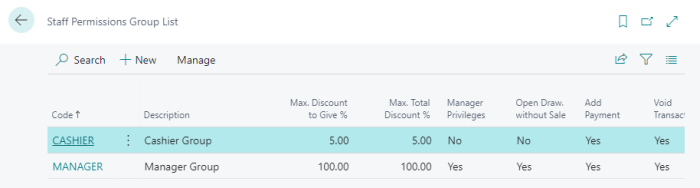
For more information, see Staff Permission Group.