We recommend that you prepare a template database. This database should include all the basic setup needed for running HO, store and a POS. You will use this template when you are onboarding customers. You must keep it clean and do testing in a copy of the template. Then you need to make sure it is always on the newest LS Central SaaS version.
To help you get started with the template database, you can either go through the steps in the Data Setup and Configuration and refer to the provided configuration packages, or use the Excel sheet that comes with the download for an overview of the tables and data included in the packages.
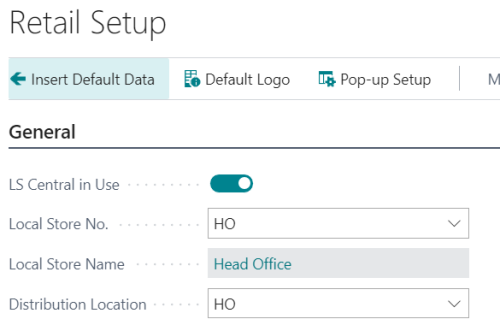
To insert Default Data:
- In the Retail Setup page, select the Insert Default Data option.
-
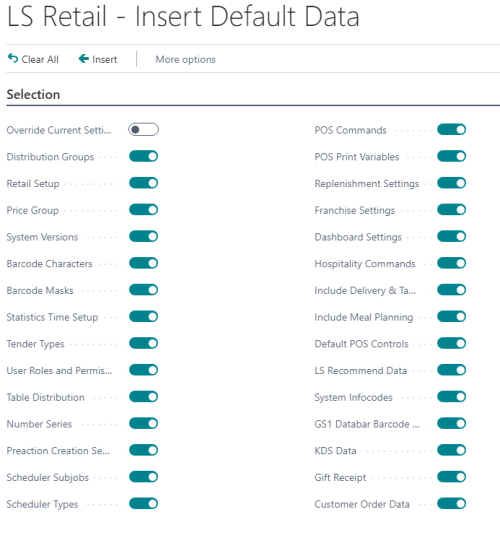
Select Insert. This will insert default settings such as POS commands and other essential data into the template database.

Store and POS Setup: Follow the guidelines in the Using Store and POS Template chapter to set up stores and configure additional POS layouts as required.
Import Export Worksheet: Utilize the Import Export Worksheet feature to facilitate the import and export of POS setup data. This worksheet allows you to efficiently manage and transfer configurations between databases.