A Deal is a special promotion with items and a selection of items from a POS PLU menu. The Deal has a special Deal price. The Deal must be selected manually from a POS button. If items in a Deal are selected manually – that is not by the Deal – on the POS, this will not trigger the Deal.
-
Click the
 icon, enter Deal List and select the relevant link.
 -
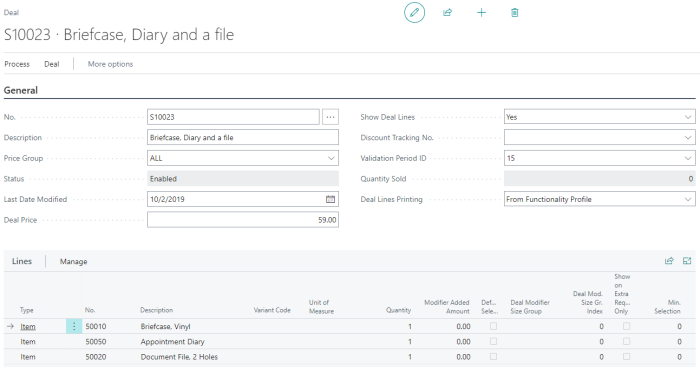
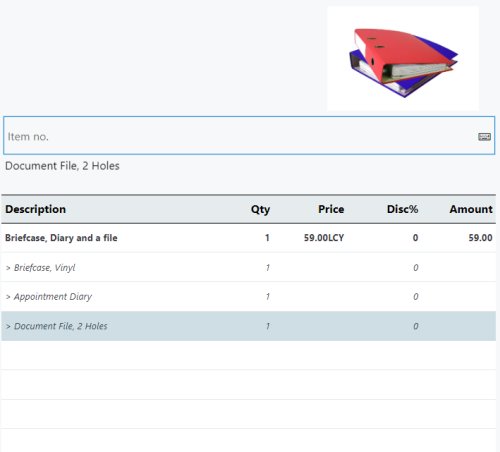
In the example below, under the Lines fast tab, a Briefcase, Appointment Diary and Document File are sold for $59.00.
-
A deal is connected to a button on the POS and selected manually.
See also